10 Essential AutoCAD Commands for Beginners | Complete Guide
10 Essential AutoCAD Commands for Beginners: A Complete Guide Today, we will explore 10 essential AutoCAD commands for beginners in

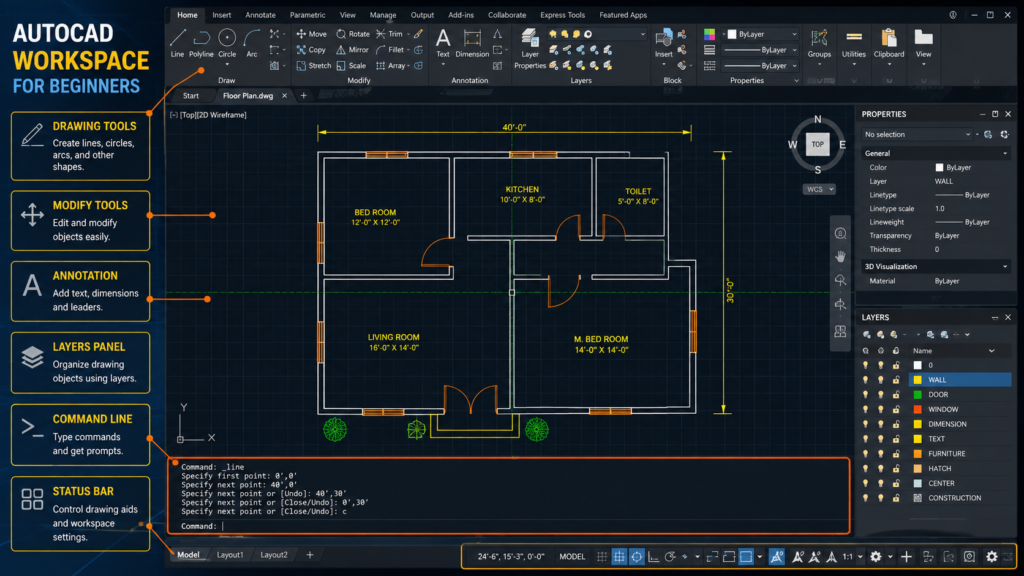
AutoCAD commands are the foundation of efficient 2D drafting. Learning the most commonly used commands can help beginners create, edit, and modify drawings more accurately and quickly.
This section covers useful AutoCAD commands and keyboard shortcuts with practical applications. Learn how commands such as Line, Polyline, Offset, Trim, Extend, Move, Copy, Mirror, Fillet, Hatch, Dimension, and other tools can be used in real drawings.
Instead of memorizing commands without practice, try applying them to architectural floor plans, construction drawings, and other 2D drafting projects. Understanding when and why to use a command is an important part of improving your AutoCAD skills.
10 Essential AutoCAD Commands for Beginners: A Complete Guide Today, we will explore 10 essential AutoCAD commands for beginners in
Architecture, AutoCAD, house plans and civil engineering resources for practical learning and design guidance.
Have a question or suggestion?
© 2026 MS Design Hub. All Rights Reserved.