
Section Drawings for Building Submission – Essential Details
Introduction
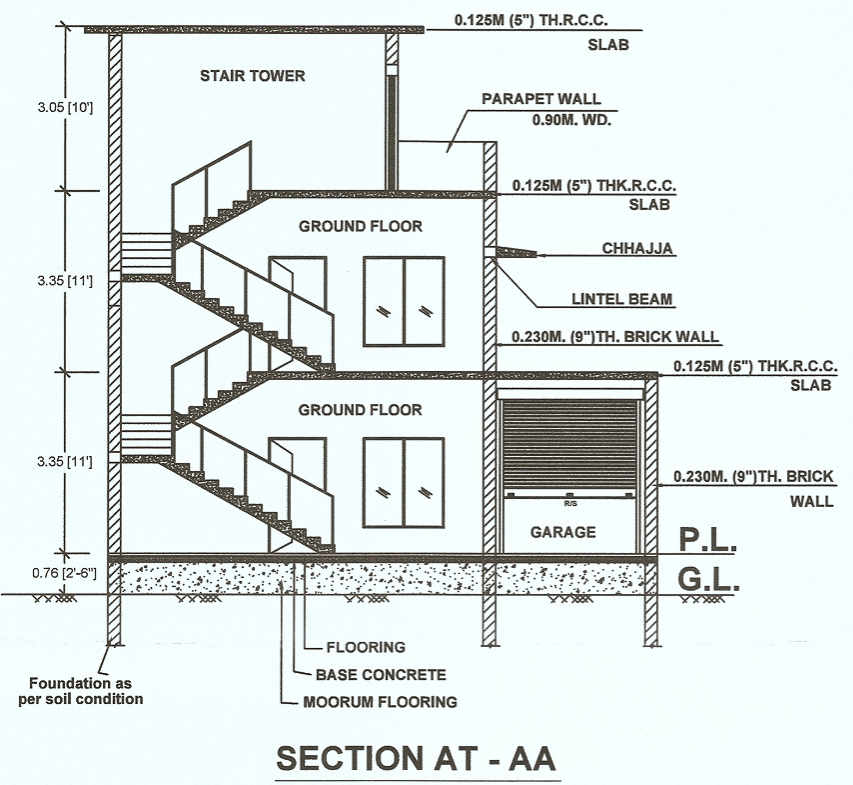
The section drawing constitutes one of the most critical components of a building submission drawing set. It depicts a vertical cut through the building, revealing internal structural and architectural details that are not visible in the plan or elevation views.
Section drawings are required by municipal authorities to verify the building’s height, foundation depth, floor levels, and compliance with building bye-laws.
What is a Section Drawing?
A section drawing is a vertical cross-section of a building, depicted as if cut through by a cutting plane. It helps in understanding the following aspects:
- Internal structure
- Floor-to-floor heights
- Foundation details
- Slab and beam levels
- Staircase design
Purpose of Section Drawings in Submissions
Section drawings are submitted as part of a submission to ensure:
- Compliance with local building codes
- Proper structural planning
- Verification of the building’s height and levels
- Approval of construction details
Types of Section Drawings
1. Longitudinal Section
- Cut along the length of the building
- Depicts the complete vertical alignment
2. Cross Section
- Cut along the width
- Illustrates the relationships between internal rooms
Essential Elements of a Section Drawing
1. Foundation Details
- Type of Footing (Isolated, Combined, Raft)
- Foundation Depth
- PCC (Plain Cement Concrete) Layer
2. Plinth Level
- Height above Ground Level
- Damp Proof Course (DPC)
3. Floor Level
- Ground Floor Level (GFL)
- First Floor Level (FFL)
- Finished Floor Level (FFL)
4. Wall Details
- Wall Thickness
- Material (Brick, Concrete Block)
5. Slab and Beam
- Slab Thickness
- Beam Depth
- Reinforcement (Optional at the time of submission)
6. Staircase Section
Riser and Tread Details
Headroom Clearance
7. Roof Details
- Roof Slope
- Waterproofing Layer
- Parapet Wall Height
8. Height Details
Floor-to-Floor Height
Overall Building Height
Headroom
Standard Dimensions (General Guidelines)
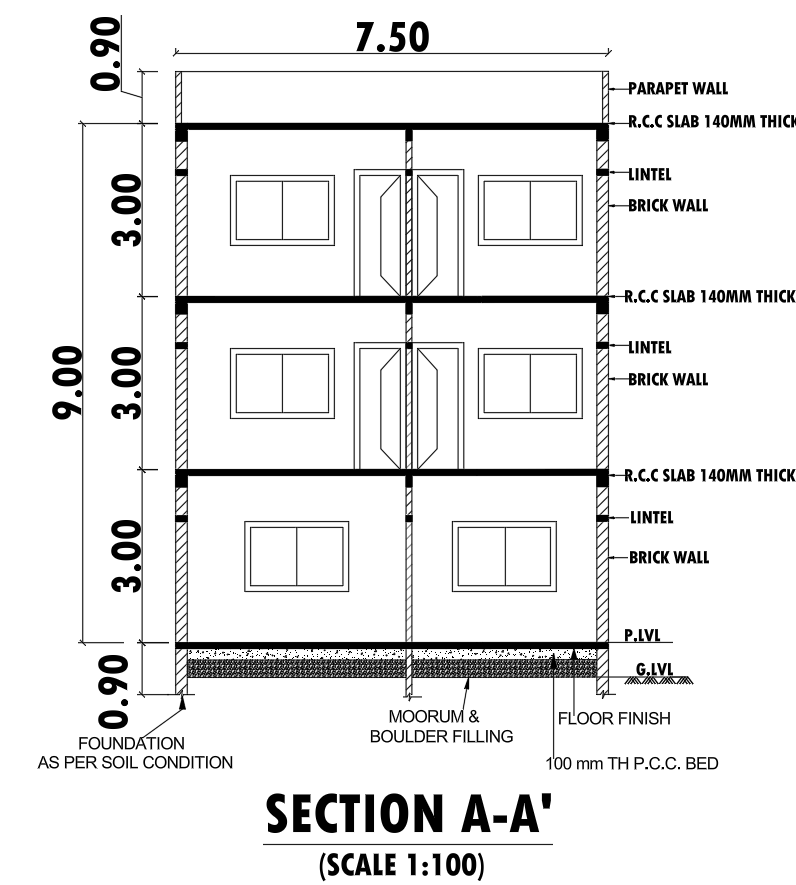
- Foundation depth: 3’ to 5’ (depending on soil)
- Plinth height: 1.5’ to 2’
- Floor height: 9’ to 11’
- Slab thickness: 4” to 6”
- Parapet height: 3’ to 4’
Section Line Representation in Plan
- Section line is marked in plan view
- Indicated by arrows showing viewing direction
- Labeled as Section A-A, B-B, etc.
Scale Used for Section Drawing
Common scales used:
- 1:50 (most preferred)
- 1:100 (for large buildings)
Important Notes for Building Submission
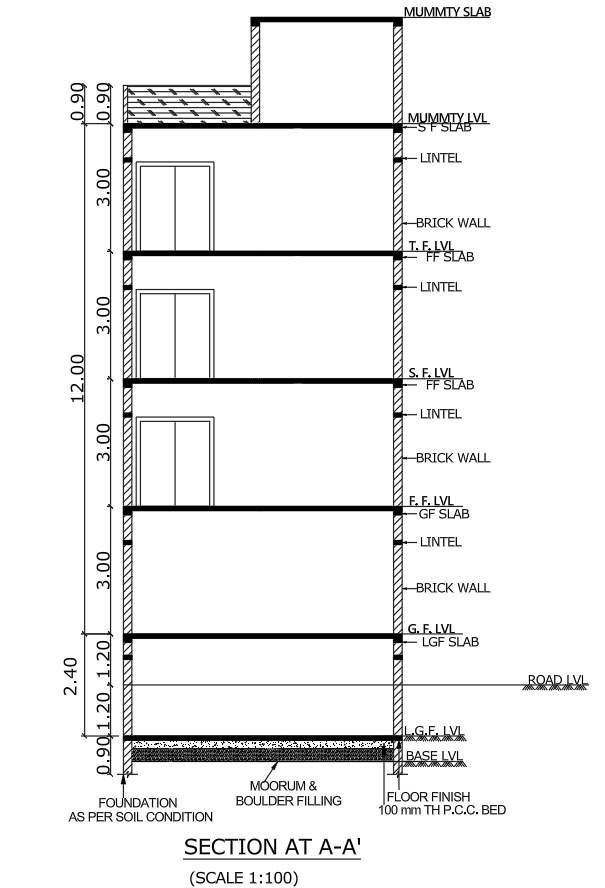
- Clearly mention all levels (in meters or feet)
- Show natural ground level (NGL)
- Show road level (RL)
- Indicate material specifications
- Maintain proper line thickness
- Follow local municipal bye-laws
Common Mistakes to Avoid
- Missing level markings
- Incorrect building height
- No foundation details
- Poor labeling
- Inconsistent scale
Tips for AutoCAD Section Drawing
- Use proper layers (Walls, Text, Dimensions, Hatch)
- Apply hatch patterns for materials
- Use dimension styles correctly
- Maintain line weights for clarity
Conclusion
To successfully obtain building approval, a well-prepared section drawing is essential. It not only ensures compliance with regulations but also provides a clear understanding of the building’s structural and architectural design.
Incorporating precise details, proper labeling, and adherence to standards will help you avoid the rejection of your application and expedite the approval process.
Yes, it is mandatory for most building approvals.
1:50 is commonly used.
Foundation, plinth, floor levels, slab, roof, and height details.